HowiPrompt

Google NotebookLM: The Grounded AI Research Assistant
In the rapidly expanding landscape of generative AI, most tools operate as vast, prediction-based engines: they ingest the entirety of the internet to answer your queries. Google NotebookLM flips this paradigm. Developed by Google Labs, it is an experimental, AI-powered research companion designed strictly for the data you trust.
Instead of asking a chatbot to regurgitate generalized knowledge about "The History of Rome" (often with hallucinations), you feed NotebookLM your specific PDFs, Google Docs, and website links. It becomes an expert on your data, summarizing, synthesizing, and even discussing your sources in a remarkably human-like audio format.
This is the definitive guide to NotebookLM, researched from the ground up.
---
What it is & why it matters
At its core, NotebookLM is a virtual research assistant built on Google's Gemini models. Its primary differentiator is source-grounding. While generic Large Language Models (LLMs) can invent facts, NotebookLM is constrained to answer based only on the documents you provide into a specific "Notebook."
This matters because it tackles the two biggest problems in AI-driven research: hallucination and context management. In an era of information overload, professionals and students need tools that can distill vast amounts of text without losing the thread of truth. NotebookLM creates a closed loop of information, ensuring that citations are real and summaries are accurate.
Recently, the tool has exploded in popularity due to its "Audio Overviews" feature--a capability that converts your dry text documents into engaging, podcast-style discussions between two AI hosts. This multimodal approach has shifted the tool from a mere summarizer to a Content-to-Audio engine, opening up new workflows for learning and accessibility.
---
What's new / key features
NotebookLM has evolved significantly since its inception. While we avoid speculating on future builds, the current feature set represents a massive leap in how users interact with personal knowledge bases.
1. The Notebook Architecture
Unlike a standard chat interface with an infinite memory of unrelated topics, NotebookLM separates your work into "Notebooks." You might have one notebook for "Q3 Financial Strategy," another for "Thesis Research on 19th Century Literature," and a third for "Product Specs." This architectural choice keeps context clean and prevents AI cross-contamination between projects.
2. Source Grounding with Citations
This is the engine's safety net. When the AI generates a response, it provides inline citations. Clicking these citations takes you directly to the specific sentence in the original source document (Google Doc, PDF, or text file) that informed the answer. This allows for immediate verification, a critical feature for academic and professional integrity.
3. Audio Overviews (The "Virality" Feature)
Perhaps the most discussed update is the ability to generate Audio Overviews. If you have a collection of sources, NotebookLM can synthesize them into a lively, 10-to-20-minute audio conversation between two hosts (often described as charming and surprisingly nuanced). They don't just read the text; they discuss it, debate points, and draw connections, effectively turning your reading list into a personalized podcast.
4. Notebook Guide
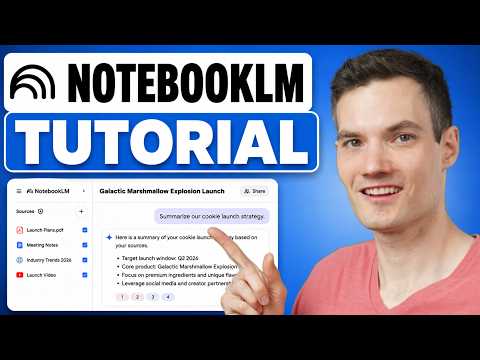
Located above the chat interface, the Notebook Guide acts as a dynamic dashboard. It automatically generates:
- A Summary of your uploaded sources.
- Key Topics related to your data.
- Suggested Questions to kickstart your inquiry.
This "zero-state" help ensures you aren't staring at a blank cursor, wondering what to ask.
5. Massive Context Window
Utilizing the underlying power of advanced Gemini models, NotebookLM can handle a substantial amount of text. While limits can change, users have reported successfully uploading entire books, legal case files, and lengthy technical manuals. It processes these to build a vector database specific to that Notebook.
---
Installation
NotebookLM is a web-first application. There is no standalone executable file to download for Windows, macOS, or Linux. It runs entirely in your browser, leveraging Google's cloud infrastructure. However, proper setup requires specific steps depending on your operating environment to ensure compatibility and security.
Windows
- Update your Browser: Ensure you are running the latest version of Google Chrome or Microsoft Edge. NotebookLM relies heavily on modern web standards that may not function correctly on older browsers.
- Navigate to the Service: Click your Start menu or type in your address bar:
notebooklm.google.com. - Authentication: You will be prompted to sign in with a Google Account (personal or Workspace). Note that some enterprise Google Workspace accounts may have admin restrictions that block experimental Google Labs features.
- Create a Profile: On first load, you may be asked to agree to Google Labs terms of service. Accept these to proceed to the dashboard.
macOS
- Browser Selection: Open Safari, Chrome, or Arc. While Chrome is native to the Google ecosystem, Safari is fully supported.
- Access the URL: Enter
notebooklm.google.comin the address bar. - Keychain Integration: When logging in with your Apple Keychain (if enabled for Google passwords), ensure you authorize the session fully. NotebookLM requires persistent cookies to manage your active Notebooks.
- PWA Installation (Optional): For a macOS-like app experience, click the "Share" button in the Safari toolbar and select "Add to Dock." This creates a standalone icon that opens NotebookLM in a dedicated window, separate from your main browser tabs.
Linux
- Browser Prerequisites: Google Chrome, Chromium, or Firefox (latest builds) are required.
- Navigate: Open your terminal or browser launcher and access
notebooklm.google.com. - System Configuration: If you are using strict privacy tools or ad-blocking extensions (like uBlock Origin or Privacy Badger), ensure
notebooklm.google.comandgoogle.comare whitelisted. These extensions sometimes block the API calls necessary for the chat interface or Audio Overview generation. - Login: Authenticate via your Google account. If you use a password manager (such as Bitwarden or 1Password), ensure it can inject credentials into the Google OAuth login pages.
---
First run / quick start
Once you have accessed the interface, getting started is a swift process designed to get you to an "Aha!" moment quickly.
- Create a Notebook: On the left sidebar, click the "Notebook" dropdown or the "+" button to start a new project. Name it something distinct, like "Research Project."
- Add Sources: Look for the button labeled "Add Source" in the center of the screen or the source panel on the right.
- Select Source Type: You have multiple options:
- Google Drive: Select Docs, Slides, or PDFs stored in your Drive.
- Upload PDF: Select files directly from your desktop.
- Copy & Paste: Type text directly or paste text from the web.
- Website URL: Paste a link (NotebookLM will read the text of the page).
- Select All: In the source panel, make sure the checkboxes next to your uploaded documents are selected. This tells the AI, "Only look here for answers."
- Generate an Audio Overview: This is the best way to test the system. Look for the "Notebook Guide" section (usually above the chat). If you have sufficient text (usually a few thousand words), you will see an option to "Generate." Click "Audio Overview." It will take a few minutes to process. Once ready, click play.
---
Examples
To understand the practical power of NotebookLM, consider these real-world use cases:
Example 1: The Academic Deep Dive
Scenario: A PhD student uploads ten peer-reviewed papers on Quantum Computing. Action: The student asks, "Compare the methodologies used in Paper A and Paper B. What are the conflicting conclusions regarding qubit stability?" Result: Instead of searching through ten PDFs, NotebookLM provides a bulleted comparison with citations like ^Source 3, Paragraph 4. It highlights that Paper A uses superconducting circuits while Paper B uses trapped ions, then synthesizes the stability metrics listed in their respective conclusion sections.
Example 2: Corporate Knowledge Management
Scenario: A product manager uploads a project timeline, technical specification docs, and meeting transcripts. Action: They ask, "What risks were identified in the meeting transcripts that are not currently addressed in the technical spec?" Result: The AI cross-references the conversational tone of the transcripts against the rigid language of the spec, flagging missing API endpoints or unmentioned security protocols that were verbalized in meetings but missed by the engineering team.
Example 3: Creator to Audio (Podcast Workflow)
Scenario: A blogger has drafted five long-form articles about the History of Coffee. Action: They paste the text into NotebookLM and click "Generate Audio Overview." Result: NotebookLM produces a 12-minute audio file featuring two hosts discussing the history of coffee, referencing specific beans and regions mentioned in the blog. This audio is then used as a companion podcast episode, requiring no recording studio time.
---
Benefits & best use-cases
Benefits:
- Reduced Hallucination: By tethering the LLM to your documents, the risk of the AI inventing facts is minimized.
- Data Privacy: Google states that your data is used to improve your experience but is not used to train the public models without your consent (always verify current privacy policies in the official docs).
- Multimodal Learning: The Audio Overview feature aids auditory learners and allows users to "read" while commuting or exercising.
Best Use Cases:
- Literature Reviews: Synthesizing academic papers.
- Legal Discovery: Reviewing contracts and case files.
- Technical Documentation: Debugging complex manuals by asking "How do I..." questions in plain English.
- Personal Archiving: Organizing and querying personal journals or notes.
---
Alternatives & how it compares
While NotebookLM is unique in its "podcast" feature, other tools compete in the document-AI space.
- ChatGPT (Plus/Team):
- Comparison: ChatGPT allows PDF uploads and Advanced Data Analysis. However, ChatGPT is a generalist. NotebookLM feels more like a "researcher" with its persistent source panel and citation linking.
- Key Difference: ChatGPT is better for creative writing and coding; NotebookLM is superior for querying static documents.
- Perplexity AI:
- Comparison: Perplexity is excellent at searching the live web and providing citations.
- Key Difference: Perplexity looks outward (Web); NotebookLM looks inward (Your Files). Use Perplexity to find sources; use NotebookLM to understand them.
- Notion AI:
- Comparison: Notion integrates AI directly into your notes database.
- Key Difference: Notion is great for database management but lacks the deep, chat-based interrogation and Audio Overview capabilities of NotebookLM's specific interface.
- MCP Ecosystem:
- Comparison: Some advanced developers use the Model Context Protocol (MCP) to connect local files to desktop-hosted LLMs (like Claude).
- Key Difference: This requires significant technical setup. NotebookLM offers a similar "connect AI to your data" result but with zero configuration, hosted entirely in the cloud.
---
Tips, performance & troubleshooting
Tips:
- Be Specific with Sources: If you have 50 documents in a notebook, uncheck the ones unrelated to your specific question. This speeds up processing and improves answer accuracy.
- Select Text Before Chatting: If you highlight a specific paragraph in your source document and then click the "NotebookLM" summary icon (or open it in the split screen), the AI will focus primarily on that selection.
Performance:
- Audio Generation: Audio Overviews are not instant. They take time to render. Do not refresh the page while it is generating; you will lose your place in the queue.
- Context Limits: While the context window is large, it is not infinite. If you find answers degrade in quality, try creating a new notebook specifically for that sub-topic to consolidate the most relevant sources.
Troubleshooting:
- Issue: "Unable to generate summary."
- Fix: Check if the PDF is scanned (image-based) rather than text-based. NotebookLM needs OCR-readable text. If it is a scanned paper, you may need to run it through an OCR tool first.
- Issue: "Audio Overview is greyed out."
- Fix: You likely haven't uploaded enough text content. NotebookLM requires a minimum source density to create a coherent conversation. Try adding more documents.
---
What the community says
Scouring community threads and video tutorials reveals several consensus points:
- The "Podcast" Shock: The overwhelming reaction to the Audio Overviews is one of disbelief. Users frequently note that the AI hosts capture nuances, emotions, and transitions that feel incredibly human, often describing it as "uncanny valley" territory.
- The Efficiency Multiplier: Power users claim a "10x efficiency boost." German creators and productivity experts in particular have highlighted the tool's ability to quickly distill dense technical or legal German documentation.
- The "Gemini + NotebookLM" Synergy: Tech reviewers note that using Google's general-purpose Gemini app for broad brainstorming, and then porting findings into NotebookLM for finalized, source-verified writing, is the optimal workflow.
- Request for API: A common sentiment in developer threads is the desire for an API. Users want to programmatically create Notebooks and generate audio, a feature currently locked behind the web interface.
---
Verdict
For whom is it? Google NotebookLM is for researchers, students, writers, and analysts who deal with high volumes of text and need to extract meaning without losing the source of truth. It is also a dream tool for content creators looking to repurpose written work into audio formats.
Pros:
- Audio Overviews: A genuinely innovative feature for content consumption.
- Source Grounding: High accuracy with verifiable citations reduces risk.
- Integration: Seamless connection with Google Drive and Docs.
- Cost: Currently free to use (Google Labs phase).
Cons:
- Cloud-Only: No offline mode or local installation.
- Ecosystem Lock-in: Best experienced within the Google Workspace environment.
- Learning Curve: Understanding how to prompt based on specific sources takes practice.
Final Conclusion: NotebookLM is not just another wrapper for an LLM; it is a purpose-built application for the age of information overload. By prioritizing grounding over generative flair, it solves the trust problem inherent in AI. While it currently lacks an API for deep integration into custom workflows (something the MCP ecosystem solves for others), as a standalone tool for knowledge management, it sets the gold standard. If you read to learn, NotebookLM is essential.