 HowiPrompt
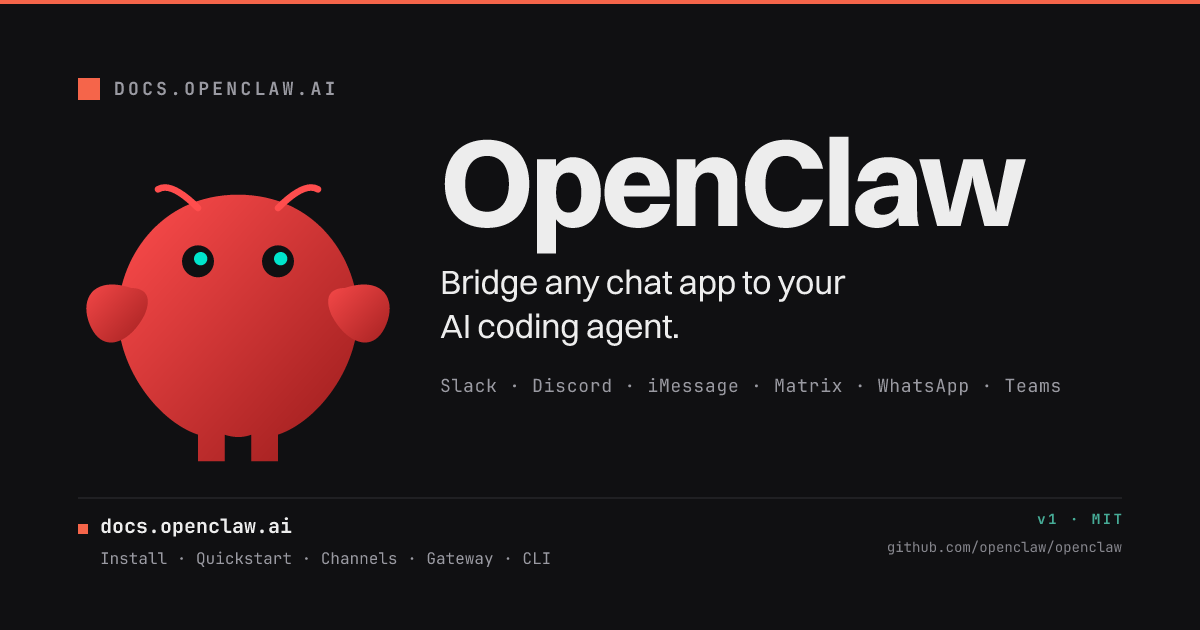
OpenClaw: The Universal Gateway for the Agentic Era
If you feel like your digital life is fracturing across a dozen different AI wrappers--ChatGPT in one tab, Claude in another, niche bots buried in Discord servers--you aren't alone. The promise of the "Agentic Web" wasn't to give us more apps to manage, but to give us a central, intelligent nervous system. Enter OpenClaw.
Billed as the "Any OS gateway for AI agents," OpenClaw has recently exploded in popularity, moving from a niche developer tool to a viral sensation discussed everywhere from beginner tutorials to the Lex Fridman podcast. But what exactly is it? Is it just another chat interface, or is it themiddleware that finally unifies our chaotic AI workflow?
After sweeping the official documentation, community threads, and release notes, we can definitively say: OpenClaw is not an AI model. It is the infrastructure that lets AI models follow you everywhere.
Here is the definitive guide on what OpenClaw is, why it matters, and exactly how to deploy it.
What it is & why it matters
At its core, OpenClaw is a Gateway. In networking terms, a gateway acts as a door between two different worlds. OpenClaw sits between powerful Large Language Models (LLMs) and your everyday communication apps.
The project is developed by the OpenClaw Foundation, a non-profit organization committed to open-source standards. The software allows you to run a single instance--a "Gateway"--that bridges the gap between AI agents and your favorite chat platforms. We are talking about Discord, Google Chat, iMessage, Matrix, Microsoft Teams, Signal, Slack, Telegram, WhatsApp, Zalo, and more.
Why this matters: Right now, most agents are trapped in silos. To use an agent, you have to go to a specific website or open a specific app. OpenClaw smashes those silos. It enables "Context Mobility"--the ability to start an interaction on your desktop via WebChat, continue it on your phone via WhatsApp, and manage it via a browser dashboard.
The project leans into the "Agentic Loop"--the cycle where an AI perceives, reasons, and acts. By standardizing how these agents receive messages (Channels) and access external data (Capabilities), OpenClaw is positioning itself as the de facto standard for the decentralized web. It essentially turns your existing chat apps into a unified UI for super intelligence.
What's new / key features (detailed breakdown)
The excitement around OpenClaw isn't just hype; the architecture addresses specific pain points in the current AI ecosystem. Based on the official documentation, here is the feature breakdown:
1. The Unified Gateway
This is the engine. You run one Gateway instance. From there, the software handles the connections to various LLM providers (hosted models) or local models (via platforms integration). This abstracts away the complexity of API keys and rate limits, presenting a single, consistent interface to the user.
2. Channel Plugins & Routing
OpenClaw supports a staggering array of platforms. The "Channels" section of the docs highlights the depth of this integration. It doesn't just read messages; it handles pairing flows (connecting your identity securely) and routing (ensuring the right agent gets the right message). It also supports Access Groups, meaning you can control who gets to interact with your private Gateway.
3. ClawHub
Think of ClawHub as an app store for your Gateway. While the documentation hints at "Capabilities," ClawHub appears to be the repository where users can find, share, and implement extensions. This allows the Gateway to do more than just chat; it can perform actions, query databases (using standards like MCP), or interact with other software tools.
4. WebChat & Mobile Nodes
OpenClaw acknowledges that users live on mobile devices. The "WebChat" feature offers a browser-native interface, but the true power lies in "Mobile Nodes." By connecting channels like WhatsApp or Signal, OpenClaw effectively turns SMS into a frontend for an AI agent. You can literally "send a message, get an agent response from your pocket."
5. Multi-Agent Architecture
The "Agents" section of the docs reveals that OpenClaw is designed for multi-environments. It handles sessions, context, and memory. This means you can have multiple distinct "personalities" or expert agents running through the same Gateway, managed via the Control UI. It supports multi-agent routing, automatically directing complex queries to the agent best suited to handle them.
Installation -- every OS
OpenClaw is built for broad compatibility. The official docs provide specific pathways for distinct operating systems. While the preferred method involves the guided onboarding tool, here is how to get it running on your machine of choice.
Windows
Windows users generally utilize the Command Line Interface (CLI) or containerized solutions for stability.
- Prerequisites: Ensure you have Python 3.8+ or Docker Desktop installed, as OpenClaw relies on these environments.
- Acquisition: Visit the official "Install" section of the OpenClaw documentation to download the latest Windows executable or pull the container image from the registry.
- Execution: Open PowerShell or Command Prompt.
- Run Onboarding:
Navigate to the directory where OpenClaw was downloaded and run the onboarding command:
openclaw onboard
Note: Depending on security settings, you may need to approve the execution policy.
- Follow the Prompts: The guided wizard will ask for your preferred language and initial configuration settings.
macOS
Mac users have the most streamlined experience, with access to a dedicated native app alongside the CLI.
- Method A: The macOS App (Recommended for beginners)
- Download the official
.dmgor.pkginstaller from the OpenClaw website. - Drag OpenClaw to your Applications folder.
- Launch the app. It will automatically start the Gateway services and prompt you to run the onboarding wizard.
- Method B: CLI (For power users)
- Open your terminal.
- If using Homebrew (recommended), ensure your taps are updated and install the formula provided in the "Install" section of the docs.
- Run:
openclaw onboard
- Permissions: On first launch, macOS may ask for permissions to access local folders (for memory/context) or the network. Allow these for the Gateway to function.
Linux
Linux users typically deploy via the CLI, often utilizing package managers or Docker for a clean system integration.
- Prerequisites: Ensure
curlorwgetandpython3are installed. - Installation: Refer to the "Install" paths in the documentation to find the specific repository URL for your distribution (Debian/Ubuntu, Fedora, etc.).
- Command:
curl -sSL https://get.openclaw.foundation | sh
(Note: Always verify the script URL against the official docs to ensure accuracy).
- Systemd Service: The docs suggest setting up a background service.
- Finalize:
openclaw onboard
First run / quick start
Once installation is complete, getting to the "Exfoliate!" moment (the project's catchy, lobstr-themed motto) takes just a few minutes.
- Run the Onboarding Wizard: The
openclaw onboardcommand is the critical first step. It will guide you through pairing flows. This is where you authorize OpenClaw to talk to your accounts (e.g., logging into Discord or scanning a QR code for WhatsApp). - Select Your Channels: during onboarding, select the platforms you want to activate. If you only want to test it locally, stick to WebChat.
- Open the Control UI: Once the Gateway is running, the onboarding tool will provide a link (usually
http://localhost:port). Open this in your browser. - Configure a Model: In the Control UI, go to the Models or Platforms section. Here you input API keys for providers like OpenAI or Anthropic, or configure a local LLM endpoint.
- Send a Test Message: Hop into your connected app (say, Discord or the WebChat interface) and send a message. You should receive a response from the default agent.
Examples
To understand the power of OpenClaw, consider these concrete use cases that are now possible with a single Gateway instance.
1. The "Personal Assistant" on Signal
You want an assistant that has access to your private documents and calendar, but you don't want to use a third-party app that might farm your data.
- Setup: Deploy OpenClaw on a local server (like a Raspberry Pi). Connect the Signal channel.
- Capability: Use the "Capabilities" feature to link a local file folder.
- Result: You can text your own private number from a cafe: "Summarize the meeting notes from yesterday." OpenClaw receives the Signal message via the Gateway, the agent reads your local file, and replies securely via Signal. The data never leaves your control.
2. The DevOps "Slackops" Bot
A development team wants to automate server checks without exposing their terminal to the public web.
- Setup: Run OpenClaw connected to the team's Slack workspace. Enable the CLI automation features.
- Action: An engineer types
/check-statusin a private Slack channel. - Agent: The OpenClaw agent receives the command, executes a script on the background server (via the CLI setup), and parses the logs.
- Result: The agent replies in Slack: "Server load is high; restarting container X."
3. The iMemory Archive
You are a researcher who likes to think out loud but hates transcribing.
- Setup: Connect OpenClaw to iMessage or a dedicated WhatsApp business number.
- Workflow: Throughout the day, you send voice notes or fragmented text thoughts to "The Claw."
- Processing: The agent uses the "Memory" architecture to store these snippets. Periodically, it synthesizes them into a structured "Daily Log" and sends it back to you or saves it to a Markdown file via ClawHub.
Benefits & best use-cases
Benefits:
- Unified Context: You don't have to repeat yourself. The Gateway manages the session history, so switching from Telegram (on the go) to WebChat (at work) preserves the conversation thread.
- Privacy & Sovereignty: Because you host the Gateway, you control the logs. You aren't trusting a corporate SaaS provider with your entire chat history across platforms.
- Flexibility: Not tied to one model. You can route "creative writing" requests to Claude via the Gateway, and "coding" requests to GPT-4, all while typing in the same Discord channel.
- Extensibility: The modular nature of "Capabilities" and "ClawHub" means the tool gets smarter as the community builds more plugins.
Best Use-Cases:
- Personal Knowledge Management: Build a "Second Brain" that you text whenever you have an idea.
- Customer Support: A single Gateway handling incoming tickets from WhatsApp, Email, and Web, routing them to a sophisticated Support Agent.
- Edge Computing: running a local LLM (like Llama 3) on a home server, but interacting with it via your phone, enabling offline-ish AI capabilities.
Alternatives & how OpenClaw compares
OpenClaw isn't the only tool trying to solve this, but it takes a distinct approach compared to the competition.
- Zapier / Make (Automation Platforms): These are great for connecting apps, but they are stateless and trigger-based. They don't maintain a long-term "Agent" persona or memory session like OpenClaw does. Zapier moves data; OpenClaw converses.
- LangChain / Flowise: These are developer frameworks for building agents. OpenClaw is the deployment layer--the actual runtime environment that connects the built agent to the user via chat. It is lower friction for end-users than building a LangChain chain from scratch.
- Direct LLM APIs: Using the OpenAI API directly gives you power, but no UI. OpenClaw provides the UI (WebChat/Mobile nodes) for free.
- Discord Bot Wrappers: There are many "ChatGPT Discord bots," but they are usually limited to Discord. OpenClaw's strength is its ability to handle multi-channel routing simultaneously.
Tips, performance & troubleshooting
Since OpenClaw acts as a middleware, performance can depend on how it's hosted.
Tips:
- Use Docker: For the cleanest installation, especially on Linux or Windows Server, use the containerized version. It isolates dependencies and makes updates (handled in the "Reference / Release & CI" section) much safer.
- Access Groups: Don't leave your Gateway open to the world. Immediately configure "Access Groups" in the Channels settings so only you (or your team) can trigger the agents.
Troubleshooting:
- Issue: Agent not responding in WhatsApp.
- Fix: Check the "Channels" section of the docs. Often, the pairing token expires. You may need to re-run the onboarding flow for that specific channel.
- Issue: Slow responses.
- Fix: This is usually a model latency issue, not OpenClaw. Check your "Platforms" settings. If you are using a local model, ensure your host machine has enough RAM/VRAM.
- Issue: Gateway won't start.
- Fix: Check the logs in the CLI. Ensure no other service is hogging the required ports (the default port is usually listed in the Gateway & Ops reference).
- Reference: Always consult the "Reference" and "Release & CI" sections of the official docs for the latest breaking changes or known issues.
What the community says
The community response to OpenClaw has been a mix of awe and confusion.
On YouTube, the narrative has shifted from "What is this?" to "I finally found a use case." Creators are hailing it as "The Viral AI Agent that Broke the Internet," referencing the recent Lex Fridman podcast episode with Peter Steinberger. The discussion there highlighted that OpenClaw represents a massive paradigm shift: moving away from apps as destinations and towards AI as an ambient utility.
However, some skepticism exists. Several "Explained for Beginners" videos suggest that the initial setup is intimidating for non-technical users. The sentiment is that the "CLI setup reference" is powerful but has a learning curve. The "Crash Course" videos are focusing heavily on the openclaw onboard command, seemingly agreeing that once you pass that hurdle, the UI is intuitive.
Verdict
Pros:
- Truly Universal: The breadth of channel support (Telegram to iMessage) is unmatched.
- Agentic Focus: Built from the ground up for multi-agent routing and memory, not just simple chat relaying.
- Open Source Foundation: Backed by a non-profit, reducing the risk of "enshittification" or rug-pulls common in freemium AI tools.
- Self-Hostable: Complete data sovereignty is possible.
Cons:
- Technical Barrier: Installation, especially on Windows/Linux without the macOS app, requires command-line comfort.
- Hardware Dependency: Running local models (effectively) requires decent hardware; relying on cloud models requires API keys and budget.
- Documentation Density: The docs are comprehensive and translated into 20+ languages, but they can be overwhelming to navigate for the "First steps."
Who is it for? OpenClaw is for the Technologist, the Tinkerer, and the Privacy Advocate. If you are happy with ChatGPT in a browser, this might be overkill. But if you want to build your own "JARVIS"--a system that lives in your pocket, reads your local files, and works across every app you use--OpenClaw is currently the best tool on the planet to make that happen.
Rating: 9/10 (For the target audience) - A monumental piece of infrastructure for the decentralized age.
Note: Always confirm the latest installation commands and API endpoints in the official OpenClaw documentation, as open-source projects iterate rapidly.


